


Rain Viewer: Weather Radar Map
4.3479.00 Reviews
App Specs
- Version
- 7.19
- Updated On
- License
- Free
- Downloads
- 1,000,000+
- Developer
- MeteoLab
- Categories
- Weather
- Platform
- Android, iOS
Screenshots
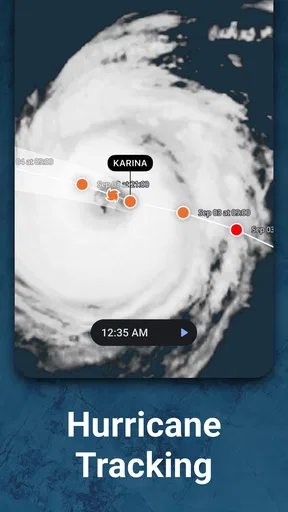
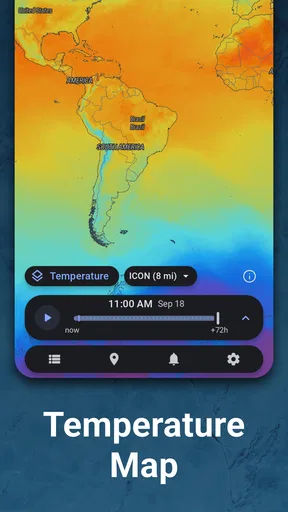
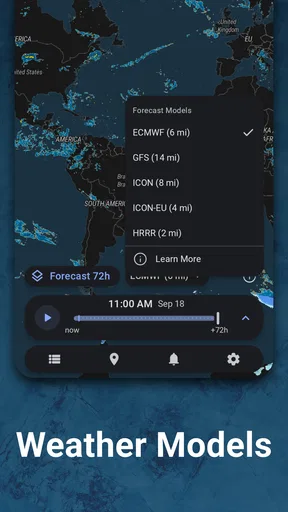
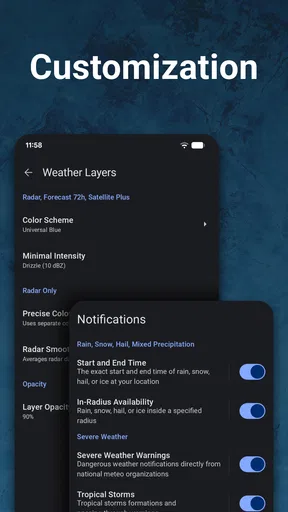
 Analysis by AppCompare
I judge a weather app by whether it helps me make a better decision before I leave home, not by how many numbers it can fit on a screen. Rain Viewer: Weather Radar Map is most useful when the question is immediate and practical: is rain moving toward me, and should I change my plans? Its radar-first approach gives it a clear purpose, though it works best as a planning aid rather than a guarantee about exactly what will happen at one address.
That focus suits the app’s identity. It is a free weather app from MeteoLab, and its radar map is central to the experience rather than a small extra tucked behind a conventional forecast. A 4.5 average from around 141,000 ratings and more than a million installs suggest that many people find the approach worthwhile. The app is rated for Everyone, so it is accessible to a broad audience; optional in-app purchases range from $1.99 to $120 per item, which is worth keeping in mind if you prefer to avoid paid extras.
Radar first, with forecasts for the decisions around it
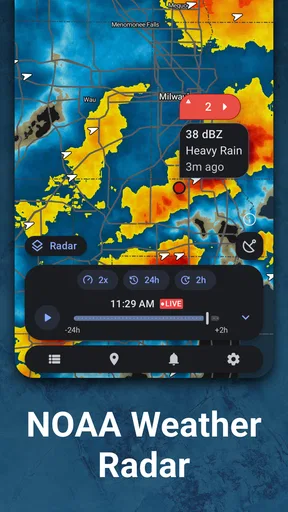
When I first downloaded Rain Viewer: Weather Radar Map, I was immediately struck by its clean and intuitive interface. It’s like having a mini meteorological station in your pocket. The app opens with a radar map that shows real-time weather patterns. You can zoom in and out effortlessly, offering both a broad and detailed view of the weather. This feature is a lifesaver if you’re someone like me who loves planning outdoor activities.
The app is designed to be user-friendly, even for those of us who aren’t tech-savvy. The onboarding process is smooth, guiding you through its myriad features without overwhelming you. Within minutes, I felt like a weather expert, ready to predict rain like a pro.
Features That Shine (or Rain)
Interactive Radar: This is the heart of the app. The radar is updated every five minutes, ensuring you’re always looking at the most current data. You can track rain, snow, and other weather conditions as they move across the map, which is perfect for planning your day around unexpected weather changes.
That moving view is more useful than a single rain icon when the weather is unsettled. I’d check the map before leaving, then look again closer to departure to see whether precipitation appears to be approaching or moving away. A radar image is still a snapshot of a changing atmosphere, not a promise that a particular street will stay dry, so I treat its movement as evidence for a decision rather than certainty. For a short walk or a school pickup, that distinction matters: it can help me decide whether to take a coat or wait, but I would keep a backup plan if being caught in rain would cause a real problem.
A practical tip is to begin at a wider map view, identify the direction the weather is moving, and then zoom in on the area that matters to you. Starting too close can make a band of rain harder to interpret in context; starting too far out can hide the local detail you need. I find that alternating between the two scales is more informative than repeatedly staring at one zoom level. The map is strongest when I use it to understand a developing pattern, not as a substitute for looking outside or checking a local forecast.
Worth Reading Before You Choose

Switching to Android Auto Means Rethinking Your Driving Routine

Google Calendar Makes a Crowded Week Easier to Manage

Baby Panda World Brings Quick Play to Modern Phones, but Its Game Library Feels Busy

ESPN’s Live Game View Makes Following Close Games Easier

QuizzLand Review: A Good Fit for Short Trivia Breaks, Not Every Player

Basketball Stars: Multiplayer Is Fast, but Can It Recover When Matches Go Wrong?
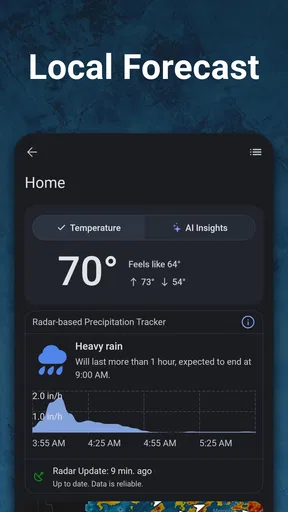
Weather Forecast: Besides the radar, the app offers detailed weather forecasts. You can check hourly forecasts or get a seven-day outlook. It’s like having a crystal ball for the weather. I find the hourly forecast particularly useful for planning my daily commute.
The two forecast horizons answer different questions. I use the hourly view when the timing of rain affects an errand, commute, or outdoor appointment; the longer outlook is better for deciding whether an activity needs a flexible backup day. I wouldn’t make a firm plan for next week based on a single forecast, because conditions can change. For a decision that is only a few hours away, pairing the forecast with the radar gives me a more useful picture than either view alone: the forecast helps with timing, while the map helps me see how precipitation is moving.
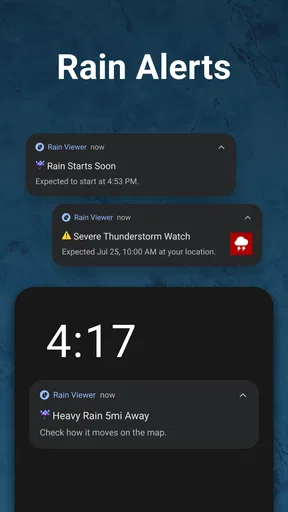
Push Notifications: I love the option to receive notifications for severe weather alerts. You can customize these alerts based on your preferences and location, so you’re never caught off guard. Plus, the app’s notifications are concise and informative—no fluff, just the facts.
Alerts are most helpful when I decide in advance what I want to be interrupted for. If every possible change triggers a notification, I’m likely to ignore them; I would keep the settings focused on the locations and severe conditions that affect my routine. When traveling, it is sensible to check that the location being monitored matches where I will actually be, rather than assuming a saved home location covers a trip. This makes alerts a useful backup to checking the map, not something I rely on as my only source of awareness.
Historical Data: Ever wondered about past weather patterns? The app provides historical radar data, which is a neat feature for weather enthusiasts. It’s fascinating to see how weather systems have evolved over time.
Past radar is also handy for making sense of what just happened. If a brief shower has passed, looking back can help me understand whether it was a narrow band or part of a wider system that may return. That context can stop me from overreacting to one moment on the map, although historical movement should not be mistaken for a forecast. I see this as a supporting tool for curious users and people who like to compare patterns, rather than a feature most people need to open every day.
In the Field: My Experience
I recently took a weekend trip to the mountains, and the app was a game-changer. The forecast predicted clear skies, but the radar showed a storm brewing. Thanks to the app, I adjusted my plans and avoided a soggy hike. The real-time updates were spot-on, and the app's accuracy was impressive.
That kind of situation shows where radar can add value beyond a simple forecast summary: the broad forecast may look reassuring, while a developing feature on the map prompts a closer look before committing to an exposed activity. For a hike, I would still use common sense and be prepared to turn back; a phone map cannot remove the risks of changing mountain weather. The useful decision is not “the app guarantees clear or wet conditions,” but “the picture has changed enough that I should reconsider my route or timing.”
Another aspect I appreciate is the app's ability to operate smoothly even in areas with spotty internet connections. It cached data when I had a strong signal, which came in handy during my mountain adventure.
That experience suggests a sensible travel routine: while the connection is reliable, check the area you expect to visit and load the view you may need, then avoid assuming that fresh radar will keep arriving in a dead zone. Cached information can provide context, but weather changes, so an old image is not a live reading. I’d check again when a connection returns before making a new decision. This is a useful distinction for rural drives and outdoor trips, where the app can still help but should not be treated as an always-current instrument without signal.
Where it fits—and where it doesn’t
Compared with the usual weather app that opens on a temperature, daily summary, and list of forecast details, Rain Viewer puts more emphasis on the movement of precipitation. That makes it a better fit for someone who wants to judge whether rain is approaching a particular area. A general forecast app may be more comfortable for people who mostly want a quick glance at temperatures, conditions for the week, or a familiar overview without interpreting a map. I’d keep a conventional forecast service in mind if radar is not the information I use to make decisions.
The map also has limits that are easy to overlook. It shows weather patterns over an area, so the image does not necessarily tell me what is happening right outside my door at this exact moment. Local conditions can differ, and forecasts are estimates rather than promises. If the stakes are high—such as deciding whether conditions are safe for a long outdoor trip—I would combine the app’s picture with official warnings and direct judgement instead of treating a colourful map as the final word.
There is a small learning curve in reading movement rather than simply reading a forecast label. Someone who has never used radar may initially wonder whether a patch is moving toward them, fading, or passing nearby. Taking a moment to compare the map over time makes it more understandable, but that extra interpretation is not for everyone. The app’s uncluttered design helps, yet a clean interface cannot make uncertain weather perfectly simple.
For everyday use, I would make the map part of a decision routine rather than check it compulsively. Before cycling, walking a dog, or carrying groceries home, I’d look at the forecast for the broad timing and then use radar if rain seems likely. If a shower is near, I’d check again just before setting off. For a weekly event, I’d use the longer outlook to identify a possible weather issue, then revisit closer to the day rather than treating the early view as settled.
It is especially suited to commuters with flexible departure times, parents coordinating short trips, gardeners deciding whether to water or work outside, and anyone planning activities where a passing shower changes the experience. It is less compelling for a person who only wants current temperature at a glance, or who dislikes interpreting maps and would rather receive a simple summary. It is also not a replacement for professional safety guidance during dangerous weather. In those cases, a broad forecast source or official alert channel is the better primary choice.
Rain Viewer is free to start with, but in-app purchases are available, so I’d check the purchase details in the app before choosing any optional extras. The current version is 7.8.1, and it requires Android 8.0 or later. The app was released on September 23, 2016, and is developed by MeteoLab. Those details make it straightforward to judge whether it suits your device and whether you are comfortable exploring optional paid items, without confusing the basic weather-planning use with a purchase requirement.
Ending on a High Note
All in all, Rain Viewer: Weather Radar Map is a fantastic tool for anyone who wants to stay a step ahead of the weather. Its user-friendly interface, accurate forecasts, and customizable alerts make it a must-have for both casual users and weather aficionados. Whether you’re planning a big event or just trying to avoid getting caught in the rain, this app delivers on its promise.
My recommendation is strongest for people who make frequent, near-term plans outdoors and want to see how rain is moving, rather than only read a general forecast. I’d use it alongside ordinary judgement and, when conditions warrant, trusted official warnings. If you prefer a simple temperature-and-summary screen, another weather app may feel more direct; if radar is the detail you routinely wish you had, this one has a clear reason to earn space on your phone.
If you’re ready to elevate your weather-watching game, I’d definitely recommend giving this app a try. You might just find yourself becoming the go-to weather guru among your friends!
Pros
- Real-time weather updates enhance planning.
- User-friendly interface for easy navigation.
- Customizable alerts for severe weather conditions.
- Detailed radar maps improve local forecasts.
- Available in multiple languages for global use.
Cons
- Ads can be intrusive during use.
- Limited offline functionality.
- Some features require a premium subscription.
- Occasional lag in radar data updates.
- Battery consumption can be high with GPS on.
FAQs for Rain Viewer: Weather Radar Map
What features does Rain Viewer offer for weather tracking?
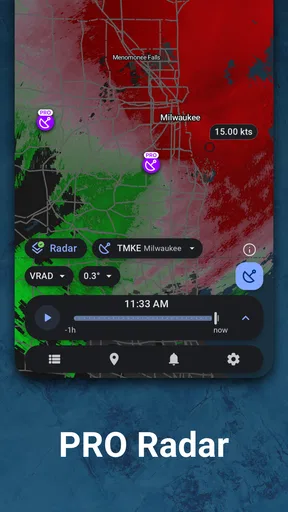
Rain Viewer provides a comprehensive suite of features for weather tracking, including real-time radar maps, weather forecasts, and storm alerts. Users can view precipitation patterns, track storm paths, and receive notifications about severe weather conditions. The app also offers customizable layers and widgets to tailor the experience to individual preferences.
Is Rain Viewer available for both Android and iOS devices?
Yes, Rain Viewer is available for both Android and iOS platforms. Users can download the app from the Google Play Store for Android devices or the Apple App Store for iOS devices. The app is designed to provide a seamless experience across different operating systems, ensuring that all users have access to its robust weather tracking capabilities.
How accurate are the weather forecasts on Rain Viewer?
Rain Viewer uses data from numerous meteorological services to provide accurate weather forecasts. The app compiles information from a network of radar stations to deliver real-time updates. While no weather app can guarantee 100% accuracy, Rain Viewer is known for its reliable predictions and timely storm alerts, making it a trusted choice for many users.
Does Rain Viewer require a subscription for full access?
Rain Viewer offers both free and premium versions. The free version provides basic features such as radar maps and weather forecasts. For enhanced functionality, including advanced customization options and ad-free usage, users can opt for a subscription. This provides a more comprehensive experience for those who rely heavily on detailed weather data.
Can I customize the notifications and alerts on Rain Viewer?
Yes, Rain Viewer allows users to customize notifications and alerts according to their preferences. Users can set alerts for specific weather conditions, such as heavy rain or storms, and adjust the notification frequency. The app provides flexibility to ensure that users receive timely information without being overwhelmed by constant alerts.


